


Stage Builder
| Super Smash Bros. Stage Builder | |
|---|---|
   Stage Builder as it appears in Smash. 
| |
| Universe | Super Smash Bros. |
| Appears in | Brawl SSB4 (Wii U) Ultimate |
| Availability | Starter (Brawl and for Wii U) Downloadable (Free) (Ultimate) |
| Crate type | Varies |
| Maximum players | 4 (Brawl, Wii U) 4-8 (Ultimate) |
The Stage Builder (ステージ作り, Stage Maker) is a feature in Super Smash Bros. Brawl, Super Smash Bros. for Wii U, and Super Smash Bros. Ultimate that allows players to create their own custom stages by using the given stage parts, and in for Wii U and Ultimate's case, drawing on the GamePad and the Nintendo Switch, respectively. Players can also choose from a variety of backgrounds and pick any song on the games' soundtracks.
In Super Smash Bros. Brawl[edit]

Builders must choose to create a small, medium, or large stage, which will affect the number of places parts can be placed in and the location of blast lines. Next, the builder selects a theme: a mountain, a building in ruins, or a futuristic chamber. Each theme has its own set of special stage elements which allow for slight variations in stage design depending on what theme is used. The final step before building is picking music, which can be any track that has been unlocked. Only one track may be chosen per stage, though the player may change it to a different track after the stage has been built. Users must place a minimum of four horizontal areas (for spawning points) for the game to allow their stage to be saved.
There are different structures and building materials the player can use depending on the background chosen earlier. There are three different sizes for most of the structures, with the one exception being the ladder. Parts cannot be freely placed and are restricted to being placed on a grid, with the size of the grid changing with the stage size; 10x8 on small stages, 14x11 for medium, and 18x14 for large (each grid cell is 20x20 units). The player can use parts until they reach the stage's capacity of 8,000 (regardless of stage size). Each piece used will use up a certain amount of capacity for the map, and some pieces take up more capacity than others. Once ready, the player can test the stage through the editor; however, the player is limited to using Mario with the default controls for the controller being used. One can also switch back to the editing screen to make more changes. Custom stages are compatible with SD cards. The limit to the number of custom stages a player can have depends on how much room one has in their internal Wii memory or SD card. The player can also send stages to their friends.
Types of parts the player can use in this mode come in three categories:
- Floors include objects such as like blocks, platforms, ramps, and stairs.
- Structures include trees, mushrooms, crates, and rock arches.
- Features include Drop Blocks, springs, ladders, and conveyor belts
Custom stages could be uploaded to a Brawl server, with players also receiving a random stage uploaded by a different player via the Smash Service.
The game comes with three sample stages to demonstrate how the Stage Builder works.
Stage Parts[edit]
There are three categories of parts: floors, structures, and features. The following table gives the name (unofficial), size in grid spaces, capacity usage, and description of each part.
| Type | Piece | Name | Sizes | Capacity | Description |
|---|---|---|---|---|---|
| Floors | |||||
   |
Platform | 1x1; 2x1; 3x1 | 100; 134; 168 | A drop-through platform. | |
   |
Diagonal Platform | 1x2; 2x2; 3x2 | 134; 202; 270 | A slanted drop-through platform. | |
   |
Short Platform | 1x1; 2x1; 3x1 | 100; 134; 168 | A half-sized drop-through platform. When placed in a line, small gaps are set in between each of these. | |
   |
Block | 1x1; 2x2; 3x3 | 100; 202; 372 | A normal block that has a ledge. | |
   |
Stair Block | 1x2; 2x2; 3x2 | 134; 202; 270 | A simple stair block. | |
   |
Ramp Block | 1x2; 2x3; 3x4 | 134; 270; 474 | A right-angle triangle-shaped block. | |
   |
Long Ramp Block | 2x2; 3x2; 4x2 | 202; 270; 338 | A larger version of the ramp block. | |
| Structures
(Mountains) | |||||
 |
Stone Table | 4x2; 5x2; 6x3 | 338; 406; 678 | A short stone platform. | |
 |
Stump | 3x2; 4x3; 5x4 | 270; 474; 746 | A short, narrow tree stump. | |
 |
Hollow Tree | 4x3; 5x4; 6x5 | 474; 746; 1086 | A hollow tree stump with a ceiling. | |
 |
Dead Tree | 4x3; 5x4; 6x5 | 474; 746; 1086 | A dead tree with 2 walkable, drop-through branches. | |
 |
Mushrooms | 4x3; 5x4; 6x5 | 474; 746; 1086 | A patch of 3 drop-through mushrooms of different heights. The stems act as walls. | |
 |
Stones | 4x2; 5x3; 6x4 | 338; 576; 882 | A structure of 2 stones, one larger than the other. | |
 |
Withered Cave | 4x3; 5x4; 6x5 | 474; 746; 1086 | A cave with a ceiling. | |
 |
Baboon Statue | 3x3; 4x4; 5x5 | 372; 610; 916 | A tall statue of what appears to be a baboon. | |
| Structures
(Ruins) | |||||
 |
Pillar | 3x3; 4x4; 5x5 | 372; 610; 916 | A tall, intact pillar. | |
 |
Rubble Heap | 4x2; 5x2; 6x3 | 338; 406; 678 | A big heap of rocks. | |
 |
Broken Lift | 4x3; 5x4; 6x5 | 474; 746; 1086 | An old lift with a ceiling. | |
 |
Ancient Ramp | 4x2; 5x2; 6x3 | 338; 406; 678 | An old elevated ramp. | |
 |
Ramp-Pillar | 4x2; 5x2; 6x3 | 338; 406; 678 | A ramp hitting the ground right at the base of a pillar. | |
 |
Stacked Pillars | 4x3; 5x4; 6x5 | 474; 746; 1086 | A set of 3 pillars, one resting on top of the flat surface that the other 2 make. | |
 |
Ancient Crate | 4x3; 5x4; 6x5 | 474; 746; 1086 | An old crate resting on the side of a floor. | |
 |
Old Room | 4x3; 5x4; 6x5 | 474; 746; 1086 | A piece of an old room, complete with structure supports and a drop-through ceiling. | |
| Structures
(Chamber) | |||||
 |
Machine | 4x2; 5x2; 6x3 | 338; 406; 678 | A machine with a slight slant on one side. | |
 |
Tunnel | 4x3; 5x4; 6x5 | 474; 746; 1086 | A tunnel with a ceiling. | |
 |
Watch Platform | 4x2; 5x2; 6x3 | 338; 406; 678 | An elevated platform with a ramp leading to it. | |
 |
Round Platform | 3x2; 4x3; 5x4 | 270; 474; 746 | A thick platform in the shape of a circle. | |
 |
Machine Crate | 4x2; 5x2; 6x3 | 338; 406; 678 | A platform with 2 elevated walls on either side. | |
 |
I-Frame | 4x3; 5x4; 6x5 | 474; 746; 1086 | A tall frame in the shape of an I. The top is drop-through. | |
 |
Server Tower | 3x3; 4x4; 4x5 | 372; 610; 746 | A tall, thin machine tower. | |
 |
Machine Roof | 4x2; 5x3; 6x3 | 338; 576; 678 | A roof-like machine piece. | |
| Features | |||||
 |
Vertical Moving Platform | 1x5; 2x6; 3x7 | 236; 474; 780 | Drop-through platform that moves slowly up and down. | |
 |
Horizontal Moving Platform | 3x1; 4x1; 5x1 | 168; 202; 236 | Drop-through platform that moves slowly left and right. | |
 |
Ice Block | 1x1; 2x1; 3x1 | 100; 134; 168 | Slippery block with no ledges. | |
 |
Drop Block | 1x3; 2x4; 3x5 | 168; 338; 576 | Block with no ledges that moves downwards when stood on for a certain period of time. | |
 |
Spikes | 1x2; 2x2; 3x2 | 134; 202; 270 | Causes 15% damage with set knockback when a character lands on it. | |
 |
Ladder | 1x1 | 100 | A climbable ladder with only one size. | |
  |
Spring | 1x2; 2x2; 3x2 | 134; 202; 270 | A spring that bounces characters upwards. Rotating turns the spring green, but the difference is only aesthetic. Wider springs grant more height; springs give characters an upwards velocity in units/frame of 25g+1.625 (small), 25g+2.225 (medium), or 25g+2.825 (large), where g is that character's gravity.
| |
 |
Conveyor belt | 2x2; 3x2; 4x2 | 270; 338; 372 | Moving conveyor belt that moves all things in one direction. | |
 |
Rotating Platform | 4x5; 5x6; 6x7 | 746; 1086; 1494 | Spins four platforms in a Ferris Wheel motion. |
Backgrounds[edit]
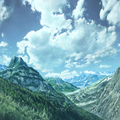 Mountain scenery
 Ruin scenery
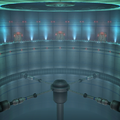 Chamber scenery


Unlockable Parts[edit]
There are also certain parts and features that can be unlocked to use in the Stage Builder.
- Edit Parts A: Play 10 times or more on created stages.
- Unlocks a new piece for every setting, as well as the spring.
- Edit Parts B: Create 5 or more stages in Stage Builder (not including the 3 sample stages).
- Unlocks a new piece for every setting, as well as the conveyor belt.
- Edit Parts C: Create 15 or more stages in Stage Builder (not including the 3 sample stages).
- Unlocks a new piece for every setting, as well as the rotating platform.
Use in modding[edit]
Because of how Stage Builder loads custom data, a common method to hacking the Wii console involves exploiting this loading mechanism. Referred to as the Smash Stack, forcing Stage Builder to load a file that is too large can allow for a user to load custom data; this method of hacking is common in order to add the Homebrew Channel to the Wii, and it is also one of the main methods of loading gameplay mods.
In Super Smash Bros. for Wii U[edit]
In Super Smash Bros. for Wii U, the Stage Builder was changed immensely. Players now have much more freedom when creating stages, with the ability to draw platforms of any shape using the Wii U GamePad. The GamePad is the only way to create or modify the stage, with other controllers only being allowed to highlight buttons and perform the actions of said buttons, such as undo or save. An option is given to either make the platform grabbable by players or not. However, there are much fewer stage parts than Brawl, being limited to cannons, springs, moving platforms and magma. Jump-through platforms can be made by making a line and tapping it. All objects' and platforms' locations snap to an invisible fine grid that has a resolution of 1x1 unit. A visible grid with 5x5 unit cells can be displayed by pressing the X button for easier alignment when placing or drawing. The grid also shows where in-game boundaries will be, with a green border showing where the camera boundaries are, and a red border for the blast lines. Walk-off stages can be created because of their placement.
Custom Stages are not available in 8-Player Smash. All Custom Stages have Star KOs and Screen KOs, regardless of layout.
When testing a stage, pausing and pressing ZL or ZR on the GamePad will allow players to select their character, an opponent character (including a second player), and customized controls and names. Mii Fighters can not be selected.
The ability to download and share stages online became available with update 1.0.6, but can no longer be used after the shutdown of Miiverse.
Five backgrounds share two textures that can be given to drawn platforms, and each background has three unique textures of their own.
| Image | Details | Crate type | Textures |
|---|---|---|---|
 |
A cloudy sky, similar to the backgrounds of Battlefield and Temple. Floating pillars appear in the background. | Normal |   
|
 |
A rocky mountain area. A volcano is in the background and its lava flows all over the rock. | Normal |   
|
 |
A view of an ocean. Rocky structures appear in the water. | Normal |   
|
 |
An area in outer space. A giant space craft appears in the background. | Futuristic |   
|
 |
A modern city-like structure made of rounded shapes. The Super Smash Bros. logo acts as the sun. | Presents |   
|
| Shared textures | |||
 
| |||
There are four types of special features that can be inserted, each with two variations.
| Image | Name | Information |
|---|---|---|
 |
Spring (small) | Works just like the small spring in Brawl, giving characters an upward speed of 25g+1.625 units/frame with g being the character's gravity. Depending on the character's gravity, they'll reach a height between ~80-105 units (roughly 3-4 times height of Pokémon Stadium 2's platforms) from the spring's top. 11 units wide, 11 units tall.
|
 |
Spring (large) | A larger spring that bounces characters higher, working like the large spring in Brawl and giving characters an upward speed of 25g+2.825 units/frame with g being the character's gravity. Depending on the character's gravity, they'll reach a height between ~140-160 units (roughly the height needed to do a reverse Hyrule Jump and then to reach the slanted platform on the right of Temple) from the spring's top. 25 units wide, 16 units tall.
|
 |
Cannon (weak) | Similar to Barrel Cannons. Launched characters deal 4% upon contact. Characters are launched at a speed of 4.4 units/frame (actual value is 5 but characters aren't launched for a few frames). For the next 60 frames (1 second), characters are unable to perform most actions, have their upward speed decreased by 0.1 (straight up) to 0.025 (sideways) per frame, and downward speed decreased by 0.05 per frame; after the 60 frames both the upward and downward speed decrease is set to 0.075; horizontal speed is decreased by 0.075 per frame. Characters can reach a height of around 100 units (more than the height of the top platform on the far right of Temple) from the cannon's center when fired completely vertically. 19 units tall, 19 units wide, but may freely overlap platforms. A guide ring ~38.7 units in diameter aids in placement and aiming. |
 |
Cannon (strong) | A larger cannon that shoots characters further. Launched characters deal 8% upon contact. Characters are launched at a speed of 5.9 units/frame (actual value 6.5 but characters aren't launched for a few frames). Physics are the same as the weak cannon and characters can reach a height of around 180 units (roughly from Temple's lowest platform to the middle platform on its far right) from the cannon's center when fired completely vertically. 24 units tall, 24 units wide, but may freely overlap platforms. A guide ring ~38.7 units in diameter aids in placement and aiming. |
 |
Moving Platform (small) | Slowly moves from one point to the other, with an unlimited path. 30 units wide. Moves 0.2 units/frame. May overlap any object or platform, but endpoint must be at least 2 units away from start. |
 |
Moving Platform (large) | Over three times longer than the small one. 100 units wide. Moves 0.15 units/frame. May overlap any object or platform, but endpoint must be at least 10 units away from start. |
 |
Magma (thin) | Painted over platforms, and deals 10% damage to characters. It adds more weight depending on how much was drawn, even if the line overlaps with itself or other lava despite being redundant. Unlike Danger Zones, it does not instantly KO a fighter if they have over 100% damage. 6 units thick. |
 |
Magma (thick) | Works just like the thin one, but 10 units thick. |
In Super Smash Bros. Ultimate[edit]
While Stage Builder was absent during the initial release of Ultimate, on April 9th, 2019 an advertisement released by Nintendo discreetly revealed the Stage Builder icon on the menu, confirming that a Stage Builder mode was in development at the time of the advertisement's release.[1] A promotional video on April 16th confirmed the inclusion of Stage Builder in the version 3.0.0 update scheduled to release the following day.
The Stage Builder was greatly revamped since the Super Smash Bros. for Wii U iteration. Besides the player-accessible layer, terrain can be placed in up to three additional decorative layers, with one in front of and two behind the playable layer. Various materials are accessible to be used. For the first time, it is possible to have platforms extend beyond the blast lines, which can be accomplished by the use of rails, allowing for walk off stages. Platforms can be drawn freehandedly, or using Square or Circle tools. Their material can be changed at the player's leisure with the Fill tool. Instead of sets of moving platforms, rails can be freely placed by the player in order to make any platform follow it. Rotation effects can also be added to platforms, and both the rotation and traveling of platforms across rails can be toggled on or off mid-battle by placing switches. Many objects can be changed with a properties menu, allowing tweaks such as adjusting rail speed or enabling terrain gravity. However, unlike in for Wii U, custom stages cannot be used in Training Mode or Custom Smash, both of which notably enable the player to modify the gameplay speed.
Unlike previous games, custom stages can support up to eight players by default, although that limit can drop back to four if the stage contains too many surfaces or objects, as shown by a weight gauge at the top of the screen. Going through a 4-Player stage with five or more players in Local Wireless will instead choose one of the game's normal stages.
Stages created using the editor are able to be shared or downloaded on the online Shared Content page.
When testing stages, the default characters for player and CPU are two Marios. However, as in for Wii U, the player may change the default fighters via the pause menu when testing and are retained for all future uses of Stage Builder until the Stage Builder menu is exited.
When creating a stage, the stage size (small, medium, and large) can be chosen, as well as the background, and the music track. Neither the size nor the background can be changed later, but the music track can be changed at any time. The track can also be chosen among any of the musical tracks in the game, including ones that are normally unable to be played on any of the normal stages, such as Lifelight and Step: Subspace. The only song that can't be used is the song used for Home-Run Contest.
Backgrounds[edit]
Unlike the Stage Builder from Super Smash Bros. Brawl and for Wii U, the backgrounds available to choose from are from stages in the game itself, being:
- Battlefield
- Tomodachi Life
- Wrecking Crew
- Kalos Pokémon League
- Coliseum
- Find Mii
- Summit
- Final Destination
- Magicant
- Luigi's Mansion
- Rainbow Cruise
- Mario Galaxy
Unlike the originals however, these backgrounds are static 2-dimensional backdrops, meaning that they do not have depth and things that normally move in their original stages do not move (clouds, water, etc), and in the Final Destination background's case, it is fixed to the "light" background. However, lightning can occasionally be seen on stages with the Find Mii background.
Hazards and tools[edit]
| Image | Name | Description | Adjustable |
|---|---|---|---|
 |
Terrain | Acts as ground, ceiling, and walls. | Shape, material, dimensions, rotation, gravity, respawn, grabbable edges |
 |
Gear | Rotates the attached terrain around the Gear as an axis. Rotates at a rate of s/60 degrees per frame, where s is speed. |
Direction, range, speed, smooth reverse |
 |
Rail | Causes terrain to travel on a selected path. Objects move along the path at a rate of s/240 units per frame, where s is speed. |
Path, speed, starting location, smooth movement, hinged terrain, return after collision, return at edge, show rail |
 |
Switch | When attacked, toggles gears and rails on the attached terrain. | None |
 |
Cannon | Characters will be launched out of the cannon in the direction it faces, akin to Barrel Cannons used in Kongo Jungle and Kongo Falls. | Direction |
 |
Spring | Characters will bounce upwards with a speed of 25g units per frame, where g is that character's gravity. If up is held on the control stick or jump button is held, characters will be sent higher with a speed of 25g+1.75. Unable to be rotated. Has no effect on physics terrain, unless it is attached, in which it will only forbid rotation. |
None |
 |
Warp Zone | Characters will teleport to the paired Warp Zone. Has no effect on terrain, but items and projectiles that come into contact with it will also be teleported. Warp Zones will become inactive on a cooldown when a character enters them for a few seconds; this cooldown does not apply when items and projectiles are teleported. | None |
 |
Bumper | Characters will be launched from the bumper, similarly to to the item of the same name. Has no effect on terrain. | Rotation |
 |
Ladder | A climbable ladder. Unable to be rotated, even if attached to physics terrain, causing it to stay upright. | Length |
 |
Bomb Block | When attacked, it will explode, hitting nearby Bomb and Explosive Blocks. | Rotation, respawn, grabbable edges |
 |
Explosive Block | Will explode when nearby Bomb or Explosive Blocks explode. | Rotation, respawn, grabbable edges |
 |
Wind Area | Produces wind to push characters in a certain direction. Has no effect on terrain. Pushes with a speed of 0.02s units per frame, where s is speed. Its effects can be reduced or negated by certain spirits. |
Speed, direction, dimensions |
Terrain material[edit]
Unlike the Stage Builders in previous installments, the textures - now called terrain materials - are universal regardless of the background. Additionally, the ice block and magma are now treated as terrain material, rather than unique elements.
Each material has various physics attributes affecting how it interacts with other objects with gravity enabled. The attributes only affect the terrain's interaction with objects, not fighters. In the following table, the physics attributes are defined as:
- Gravity
- Acceleration downwards. Value is multiplied by 0.065. When multiple materials are part of the same object, the gravity of that object is based on the proportion that each material makes of that object, factoring in density and size.
- For example, an object made of paper with 16 grid tiles and steel with 4 grid tiles will have a combined density of 560 (
(16×10)+(4×100)=160+400). Paper (with a gravity of 0.3) contributes 0.0857142 (0.3×(160/560)=0.3×0.285714) and steel (with a gravity of 1.0) contributes 0.714285 (1.0×(400/560)=1.0×0.714285), resulting in a gravity of 0.8. This can be simplified and generalized to the following(a_1×d_1×g_1 + a_2×d_2×g_2 +...+ a_n×d_n×g_n)/(a_1×d_1 + a_2×d_2 +...+ a_n×d_n), where a is the area of the material occupies, d is the material's density, and g is the material's gravity.
- For example, an object made of paper with 16 grid tiles and steel with 4 grid tiles will have a combined density of 560 (
- Density
- Mass per unit volume.
- Friction coefficient
- Resistance to being moved across other terrain. Gravity also affects this, however.
- Restitution
- Momentum conserved in rebounding objects; bounciness. A restitution of 1.0 will transfer 100% of the momentum back into the object, a value of 0.5 will transfer 50%, and so on. When an object collides with a surface, the highest restitution value is used. For example, sand (0.1), marble (0.3), and steel (0.5) will all rebound the same when colliding with a steel (0.5) or bouncy rubber (1.0) surface as those have equal or higher restitution values; colliding with a sand surface will result in the steel retaining more momentum than marble which retains more than sand.
| Image | Name | Gravity | Density | Friction | Restitution | Notes |
|---|---|---|---|---|---|---|
|
Grass | 0.7 | 10 | 0.2 | 0.2 | |
 |
Dirt | 0.9 | 30 | 0.5 | 0.2 | |
 |
Sand | 0.8 | 40 | 0.9 | 0.1 | |
 |
Wood | 1.0 | 100 | 0.7 | 0.4 | |
 |
Steel | 1.0 | 100 | 0.6 | 0.5 | |
 |
Marble | 1.0 | 100 | 0.6 | 0.3 | |
 |
Rubber | 1.0 | 40 | 1.0 | 0.1 | |
 |
Denim | 0.8 | 10 | 0.8 | 0.3 | |
 |
Carpet | 0.9 | 10 | 0.8 | 0.2 | |
